OSS, a scheduler from 1998, reverse engineered
October 31, 2026 · AI
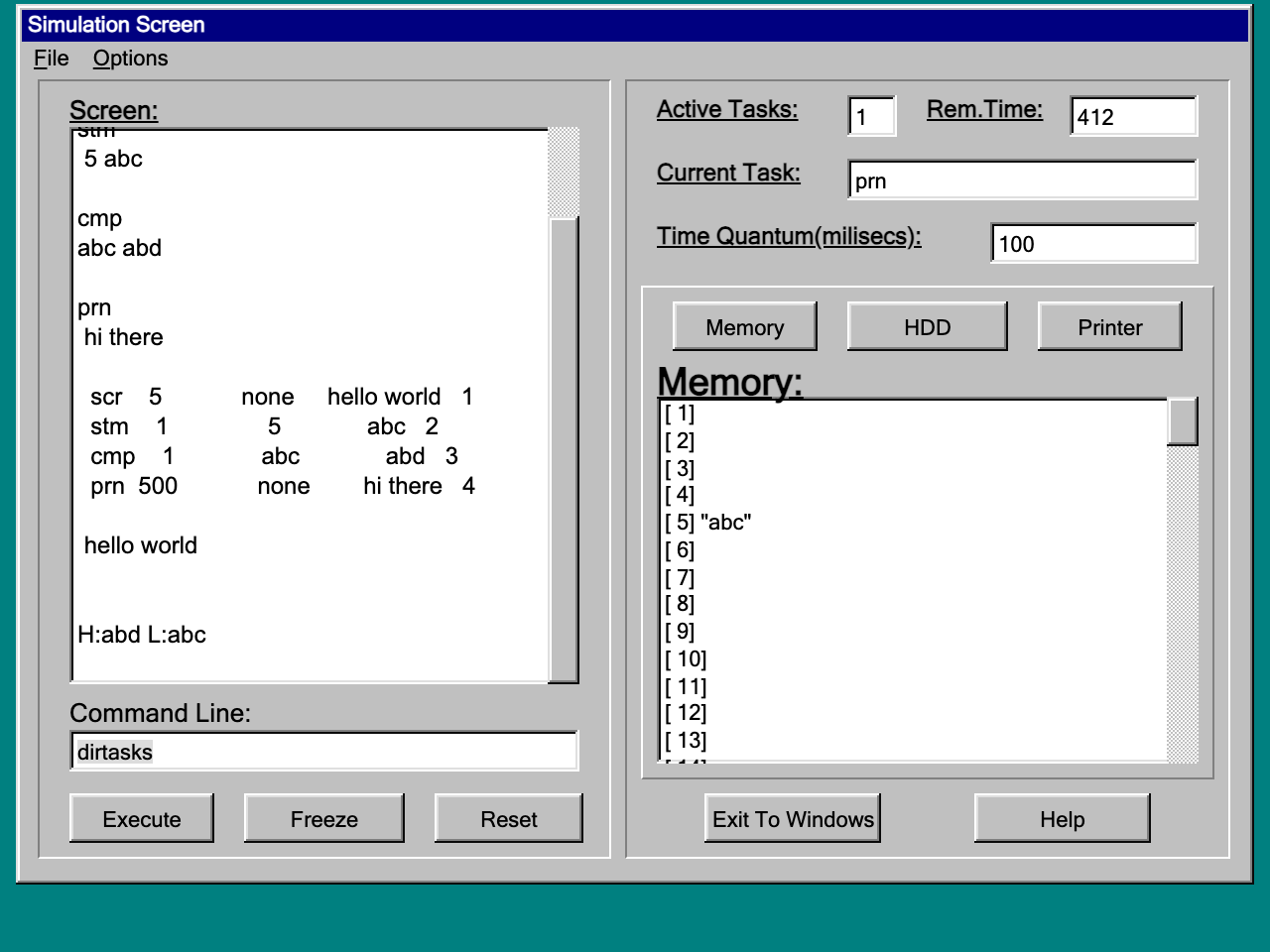
dirtasks listing the task table, and memory position 5 written. The windows are the 1998 forms, control for control.Two months ago I handed The Anger of Pharaoh XXXV, a DOS game from 1997, to Claude Code and watched it come back to life in a browser. Today it was the turn of the next zip on my software page: OSS, the Operating System Simulator.
OSS was a project for Operating Systems I at the University of Piraeus, in January 1998 (third semester, according to its help file). You log in, pick a scheduler (FIFO, round robin or shortest job first) and type commands that write to a simulated screen, memory, hard disk and printer. Each command costs a number of time quanta, and a timer hands them out one per tick, so you can watch three algorithms disagree about the same workload. It was written in Delphi. The help file lists six of us as its authors (I am "Karakoidas Basilis"), and the About box, in bright blue Arial on maroon, credits "Renegade and EmP", which is me and Elias Polychronopoulos. The source code is gone, like the Pharaoh's. What survived is a 396 KB executable, a 14 KB help file and two batch files, one of them empty.
The arrangement was the same as last time; I asked the question, the model did the work and kept notes, and I watched and checked. I did not write a line of it. The commands and numbers below come from those notes, which are in the repository with everything else.
The forms are data
It did not start with the disassembler. A Delphi program carries its user interface as data: every window is a resource inside the executable (a binary copy of the .dfm file the IDE saved), and the event handlers are looked up by name when the window is loaded. So the first thing it did was list the resources:
RT_RCDATA TABOUT_FORM 1277
RT_RCDATA TEDITOR     2073
RT_RCDATA TLOGIN      1402
RT_RCDATA TMAIN       5315
Four forms. A 60-line Python script turned them back into text, and this is a piece of the main window as the IDE saved it in January 1998:
object Edit1: TEdit
  Left = 24
  Top = 328
  Width = 257
  Height = 21
  OnChange = Edit1Change
end
object Timer1: TTimer
  Enabled = False
  Interval = 100
  OnTimer = Timer1Timer
end
That is the whole interface, to the pixel, and the name of every handler, before a single instruction was read. Two small things fell out of it that I liked. The login window's design-time position is 55,55, which is exactly where a window of its size sits centred on a 640×480 screen; we designed for VGA (Video Graphics Array), so the browser version is a 640×480 desktop. And the Reset button's handler is FormActivate, the same routine that runs when the window opens. Resetting the machine is opening the window again. Cheap, and it works.
The manual was in the zip
The help file turned out to be the specification. WinHelp files are a small file system of their own, the text is LZ77-compressed in 4 KB blocks, and this one also used phrase compression (a table of 234 common words and phrases, with the text written as references into it). The model wrote a decoder for the three layers in about 120 lines of Python, and out came seven topics, among them the full command list with the cost of every command:
scr <string>          5 time quanta
prn <string>        500
ldm, stm, dlm         1    (memory, 100 positions)
ldd, std, dld       100    (hard disk, 100 positions)
cmp / <s1> / <s2>     1
<name>.bch            5 plus every command in it
One quantum for memory, a hundred for the disk, five hundred for the printer. Somebody in that team had the memory hierarchy right, at least in orders of magnitude :)
The decompiler that lies
Then the code. Ghidra (the NSA's reverse-engineering suite, free since 2019) found 11 functions in the 23 KB that the four units of our program occupy. There are many more, but a Delphi event handler is never called directly; the form loader finds it by name in a table next to the class, so no call graph ever reaches it. The model read those tables, found the 28 handlers, gave their addresses back to Ghidra and got 61 functions decompiled.
And then it stopped trusting the decompiler, which was the most instructive moment of the day. Delphi compares strings with a runtime routine, LStrCmp, that returns its answer in the CPU flags rather than in a register, and the caller branches on them directly:
0044e251  MOV  EAX,dword ptr [ESI]
0044e253  MOV  EDX,0x44e3a0        ; 'none'
0044e258  CALL LStrCmp
0044e25d  JZ   0x0044e272
Ghidra does not model that. In its C output every comparison tests a flag left over from some earlier instruction, so every if after one is wrong, and a program like OSS is little more than string comparisons. Its notes put it in one line: the C was "useful for structure and useless for conditions". So the conditions were read from the assembly instead, a 4,758-line listing with the runtime routines named, every string constant written next to the instruction that loads it, and every offset into the main window replaced by the name of the control.
Batch files live on two disks
The design surprised me more than the code. A batch file's text lives in the real directory, next to the executable, but it only runs if its name is also stored on the simulated hard disk, as the contents of one of the 100 positions. So you first type std 1 example.bch, wait 100 quanta, and only then example.bch. The batch editor does the first step for you when you press Execute, which means that if you then run the batch straight away, you get "Specified Batch File Missing from Virtual Hard Drive". The write has not finished yet. Why would anybody design it like that? In a way we were teaching I/O latency to whoever used the thing; I am not sure it was on purpose.
Asking the original
A listing gives you a theory. To test it, the model ran the 1998 program under Wine, inside Docker, on my Mac (x86 emulation on Apple silicon, so the first start took several minutes), and drove it with xdotool, typing the same commands into the original and into the new engine. Most of it matched line for line, down to the leading spaces and the H:abd L:abc of cmp. Then it typed foo, expecting "Invalid or Misspelled Command!", and got this:
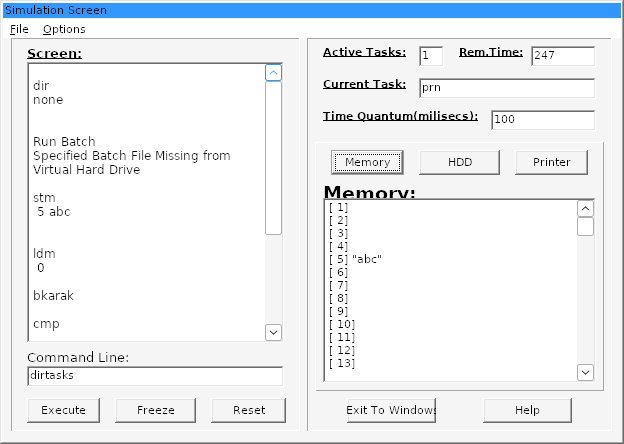
dir echoes the word "none"; foo came out as "Run Batch" and went looking for a batch file; ldm 0 printed the login name.The parser recognises a batch file with Pos('.bch', s) = Length(s) - 3. Pos returns 0 when the substring is not there, and for any three-letter string, 3 − 3 is also 0. So every unknown three-letter command was a batch file (and every unknown six-letter one a batch run with /s). The comparison had been in the listing all along, and the model had read straight past it; so, apparently, had six students in 1998.
The second surprise was a nicer one. The listing clearly queues the first line of a batch twice when you run it with /s, so the second std 5 of the example should have found position 5 occupied and asked to overwrite it. It ran cleanly. When the batch task finishes, the dispatcher writes the batch's own, now empty, record back to its slot, and the first task it had just queued was sitting in that slot, because it was the first free one. One copy of line one is wiped, and the counter of active tasks, decremented twice, comes out right. Three bugs that add up to a working feature, as long as the batch sits in the first free slot. I suspect one of us noticed a missing first line and "fixed" it by reading it twice (I would not swear it was not me).
Then the usual suspects. ldm 0 prints your login name, because the variable that holds it sits right before the memory array. Under round robin, terminate the only task and the program hangs at full CPU for ever; the scan for the next task wraps around an empty table, and the model measured 5.4 seconds of CPU in about 5 seconds of wall time before calling it. And Ctrl+X, the shortcut of File > Exit, quits the program even when you select text in the command line to cut it.
Fix or preserve?
So what do you do with fifteen bugs in your own coursework, twenty-eight years later? I made this call in September with my graph colouring assignment from 2002, and the answer is the same. A program I publish should work, and the original is still there (the zip has not gone anywhere) for anyone who wants the 1998 behaviour. So the rebuild fixes the bugs, thirteen of the fifteen in the notes (the other two are changed rather than fixed), and keeps everything else. Commands are still lowercased before parsing, the dialog still says "The specified address is ocupied", task numbers still never reset, and logging in as over still skips the hardware detection screen (a shortcut we left for ourselves, and it still works).
The detection screen was the odd case. The original fills it in a loop that never lets Windows paint, and then closes the window, so under Wine you watch a progress bar move across an empty box. The help file describes the screen in detail, so the browser version shows what the help file says, with the figures the 1998 program would report on a PC today: "Pentium Processor Found", whatever your processor, and exactly 2,147,483,647 bytes of memory, which is as much as a 32-bit program of the time is told.
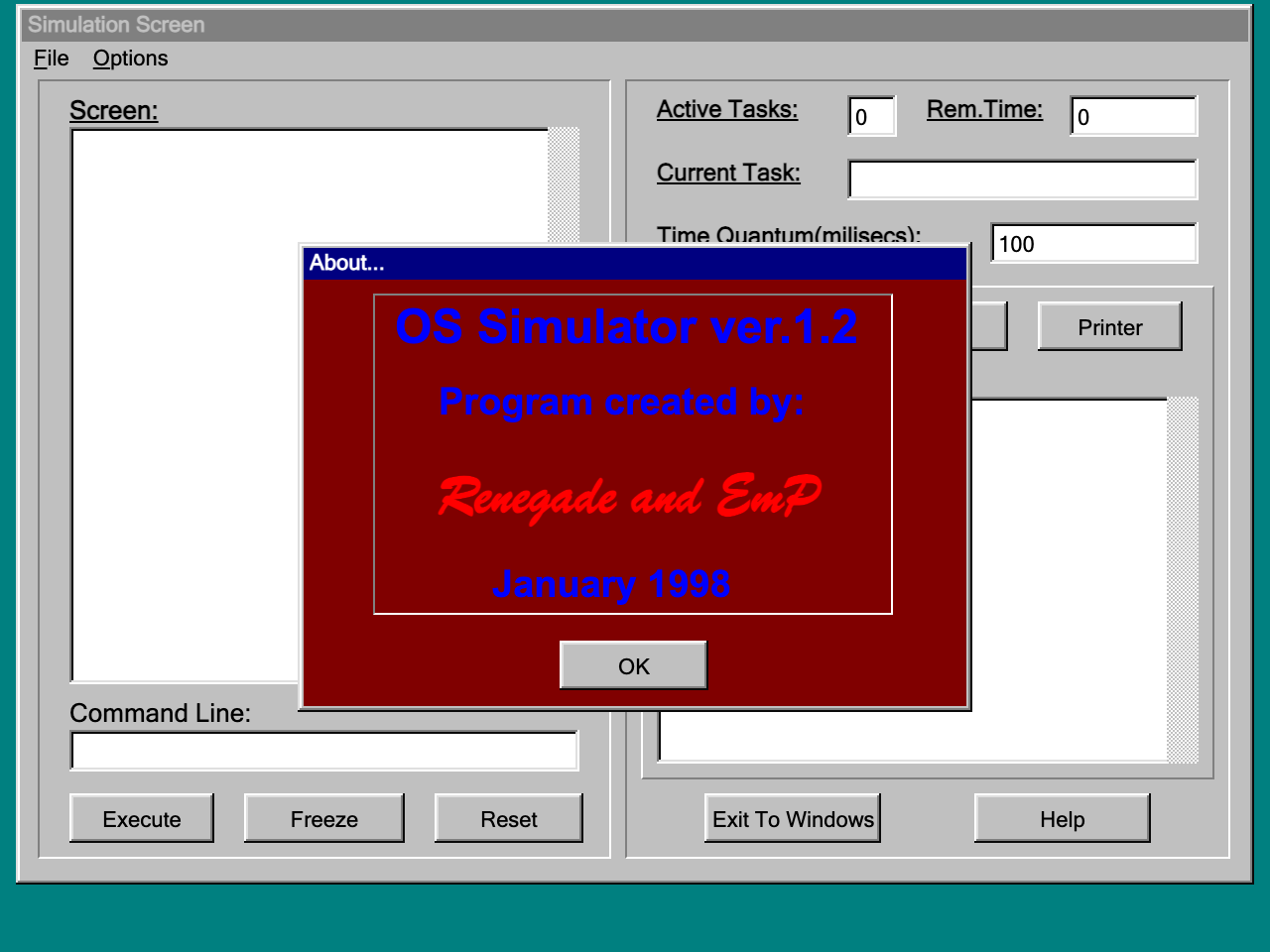
The engine is about 670 lines of JavaScript with no DOM in it, so it runs under node --test as well as in the page, and its 23 tests replay the sessions recorded from the original under Wine. The four windows, the help viewer, the message boxes and the shutdown screen (yes, that one) are another 870.
Epilogue
In my October post I wrote that copying software was always easy, and that AI mostly made it faster. This was the other half of that argument. The copying here (the forms, the decoder, the engine, the windows) took the model a day. What made the copy right was the part that is not copying at all; running the 1998 program next to the new one, typing the same thing into both, and believing the old binary over anybody's reading of it. That part was slower, it needed the old program to actually run (under Wine, in a container, under emulation, on a laptop), and it is the part somebody has to own, because somebody has to decide what "right" means when the original is wrong. Here it was wrong fifteen times.
OSS runs in the browser, with the help file the six of us wrote for version 1.2, and the engine, the tests, the analysis scripts and the notes are on GitHub, in bkarak/os-simulator. Try round robin with a terminate. It does not hang any more.